

Your Obsidian vault,
now in the browser
LavaLink brings your Obsidian vault to the web with a fast, fluid interface designed for thinking, linking, and exploring ideas without friction.

Core Features
Browser interface
Access your Obsidian vault from anywhere on any device through a clean, familiar UI.
Secure by design
Your vault stays private, with secure connections and no unnecessary exposure.
Markdown native
Your notes render exactly as written, with full Markdown support.
Quick search
Find what you're looking for instantly with fast, intuitive search across your vault.
Canvas & graph views
Visualize your ideas with canvas layouts and graph views that reveal how your notes connect.
Community driven
Contribute ideas, prioritize features, and influence the direction of LavaLink through our feedback board.
Where and when you need your notes
The moment you switch devices or work on a locked-down device, your vault become inaccessible, or require awkward workarounds just to open.
IT controlled work laptops
Security is more of a priority for companies than ever. Many work devices don't allow for installing 3rd party apps.
Public or shared devices
Library computers, hotel business centers, or borrowed devices where installing Obsidian isn't an option.
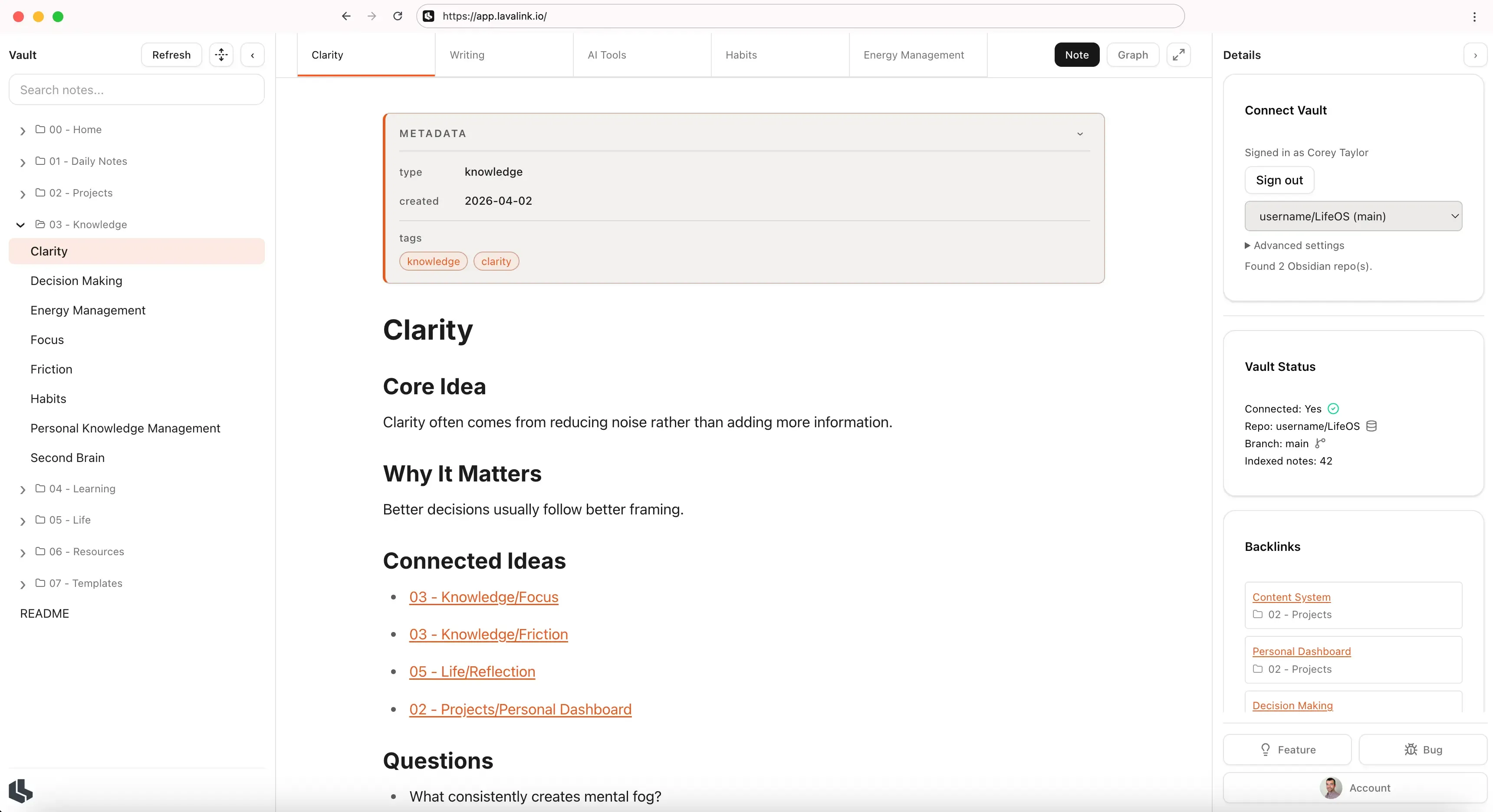
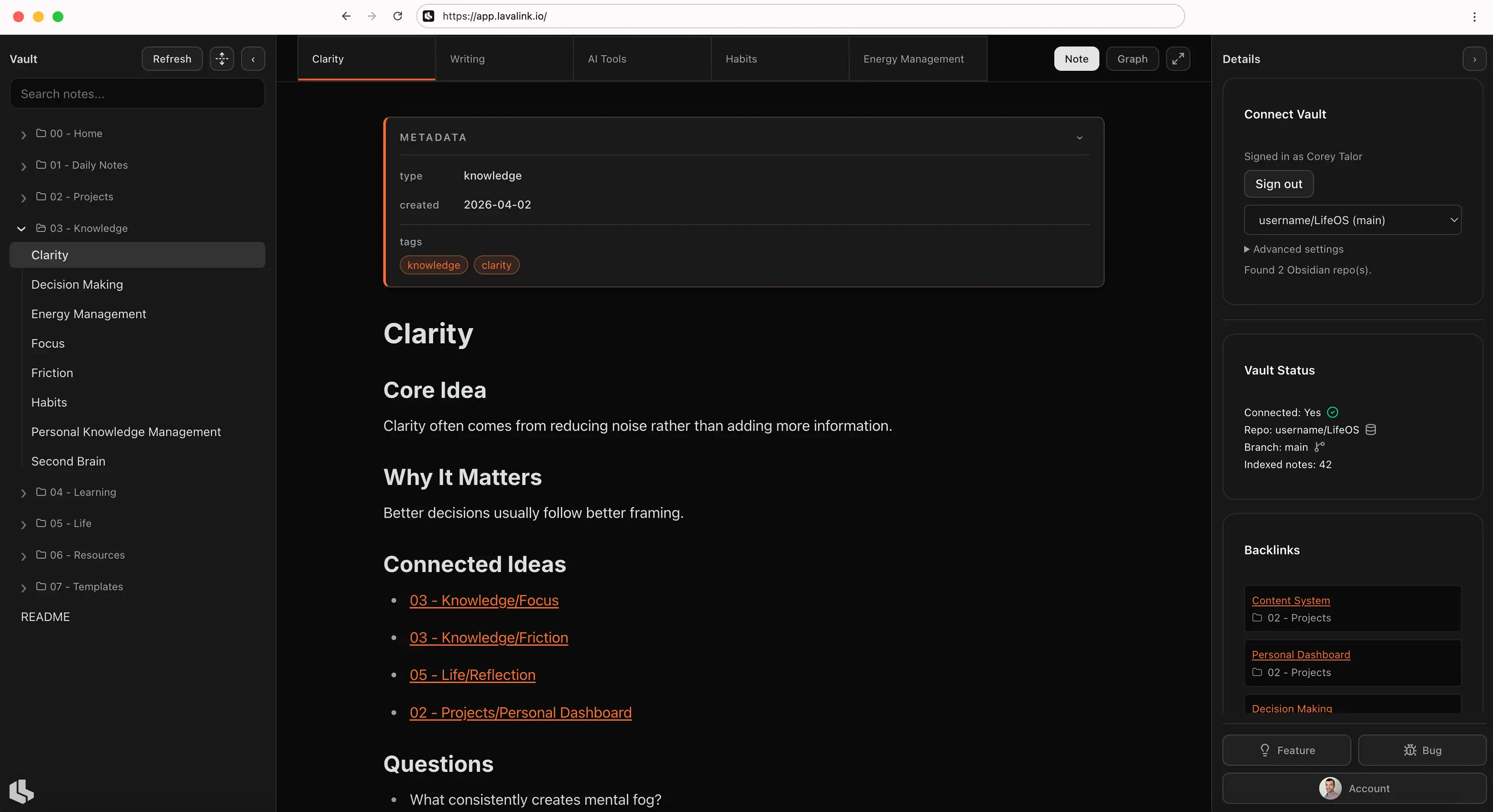
Three steps to bring your vault online
Turn your local vault into a fully accessible browser workspace in minutes.
Sync Vault to Github
Use the Git community plugin to sync your Obisidan vault to a personal Github repo.
Connect to LavaLink
Sign into your GitHub account to link your Obsidian vault repo with LavaLink.
Access your Obsian Vault
Your vault, instantly accessible from any browser, anywhere.
Stay connected to your thinking
Connect your vault to LavaLink and keep your knowledge within reach on any device.
Recent posts
Follow along as we design and build LavaLink, sharing product updates, new releases, and the thinking behind the decisions shaping the experience.

A practical comparison of LavaLink vs Obsidian Publish, focused on the most important difference: public publishing versus private, secure access.

A step-by-step guide to syncing an Obsidian vault to GitHub with the Git plugin and using LavaLink to access it on the web privately and securely.